|
Order History |
  
|
|
Order History |
|
You can invoke the Order History screen by clicking on the Order History tab (the second tab) on the main menu. Order History allows you to:
| • | View order history for a selected period of time. |
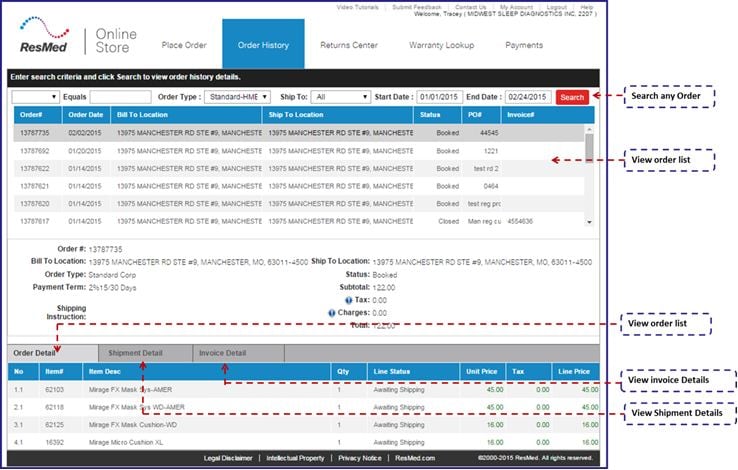
Order History screen contains the following icons/buttons:
|
View the list based on the search criteria. |
| 1. | Enter any and/or all of search criteria to view order history. |
| • | Select the search criteria from the drop down list. Place your cursor in the enterable textbox to enter any of the criteria(Invoice #, PO#, Order#). |
| • | Select the ‘Order Type’ from the drop down list. |
| • | Select ‘Ship to address’ from the drop down list. |
| • | Select Start Date from the date calendar or enter a date in the format ‘MMDDYYYY’. |
| • | Select End Date from the date calendar or enter a date in the format ‘MMDDYYYY’. |
| • | Left click on the  button to view the list based on the search criteria. button to view the list based on the search criteria. |
| 2. | The Order History list will display Order#, Order Date, Bill to location, Ship to location, Status, PO#, Invoice#. |
| • | Left click on a record on the order history list. The information displayed will be Order#, Bill to location, Ship to location, Order Type, Status, Payment Term, Subtotal, Tax, Shipping instructions, Charges, Total. |
| 3. | Left click on Order Detail tab to display Line No., Item#, Item Description, Quantity, Line Status, Unit Price, Tax, Charges, Line price. |
| 4. | Left click on Shipment Detail tab to display Line #, Shipment#, Carrier Service, Carrier, Ship to Location. |
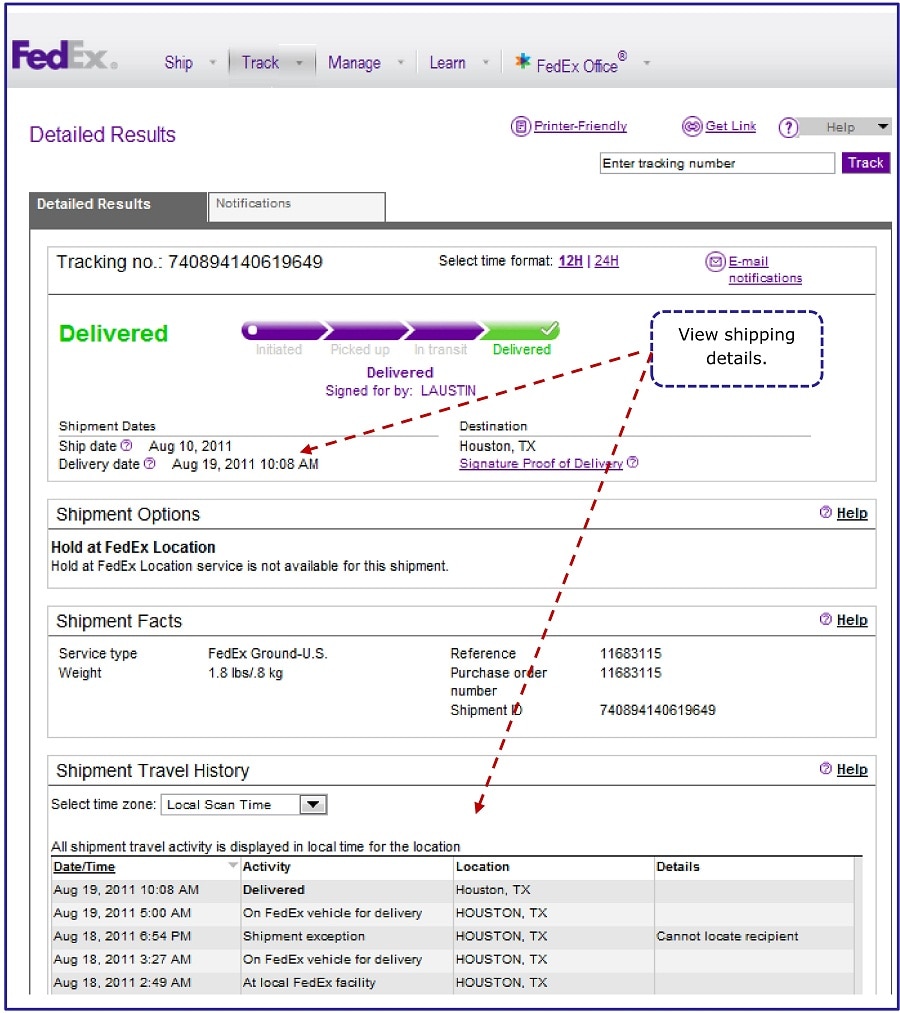
| 5. | Left click on any record on the Shipment Detail section. The information displayed will be Container ID, Container Type, Container Weight, Flow Name, Tracking #. |
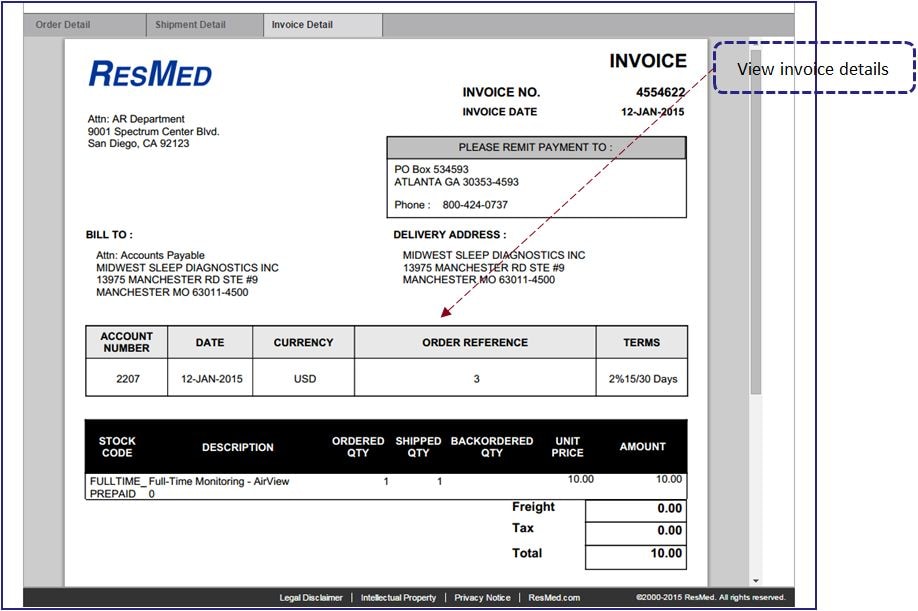
| 6. | Left click on Invoice Detail tab to display the exact invoice that is sent out to the customer. |