|
Forgot Password |
  
|
|
Forgot Password |
|
Forgot Password will allow ROS customers to reset their password. You can invoke the Reset Password screen by clicking on the forgot Password link on the top left side of the login screen.
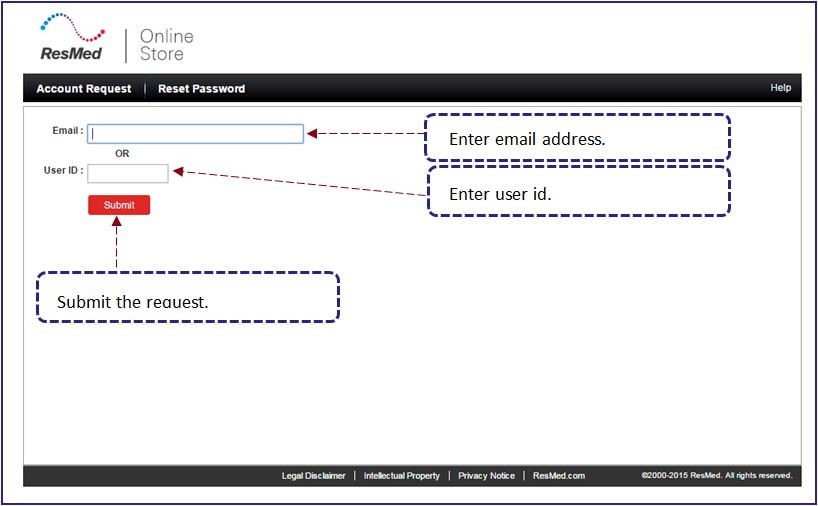
Reset Password screen contains the following icons/buttons:
|
Enter email address. |
|
Enter user id. |
|
Reset password. |
|
Go back to reset password screen. |
| 1. | Enter your email address or user id in the enterable text box. |
| • | If there are multiple user id’s associated with the email address then you will have to enter the user id for which the password has to be reset. |
| 2. | Place the cursor in the enterable text box present next to the Security question to answer the question. |
| 3. | Left click on the  button to submit the request. button to submit the request. |
| • | The account will be locked if you are not able to identify yourself within 3 attempts. |
| 4. | Left click on the  button to go back to the Reset Password screen. button to go back to the Reset Password screen. |


